 Audio Flashcards
Flashcards you can study with your eyes closed.
Every card is audio. You hear the question, answer it in your head, then hear the answer. Review on a walk, in the car or doing the dishes, and spaced repetition brings each card back just before you would forget it.
Free with ads · iPhone, iPad, Mac and Android
Try it: three cards from General Knowledge, a collection in Shared Cards.
Text-to-Speech
What is the capital of Australia?
Tap the card to flip it. On a keyboard, 1 to 4 grade, as in the app.
Made for when your eyes are busy.
Start a session and put your phone away. Questions play on their own, a countdown gives you time to think, and the answer follows. Say how well you knew it and the next card begins.
- QThe question plays“What is the capital of Canada?”
- You answer in your headA countdown you set, 3 seconds here
- AThe answer plays“Ottawa.”
- You say “good”Good due again in 9 days
Autoplay at your pace
Choose how long each side waits before the next one plays. Tap to move on sooner.
Voice commands
Say again, hard, good or easy to grade. Next, previous, repeat, question and answer move you around. Rename any command, in your own language.
Lock Screen and Dynamic Island
A Live Activity shows the session and grades the current card without unlocking your iPhone.
Headphone and car controls
Play, pause and skip from your headphones or your car, with the phone in your pocket.
Record it in your voice, or type it for a voice to read.
A card is a short stack of audio. Usually that is a question and an answer, but it can be one side or several.
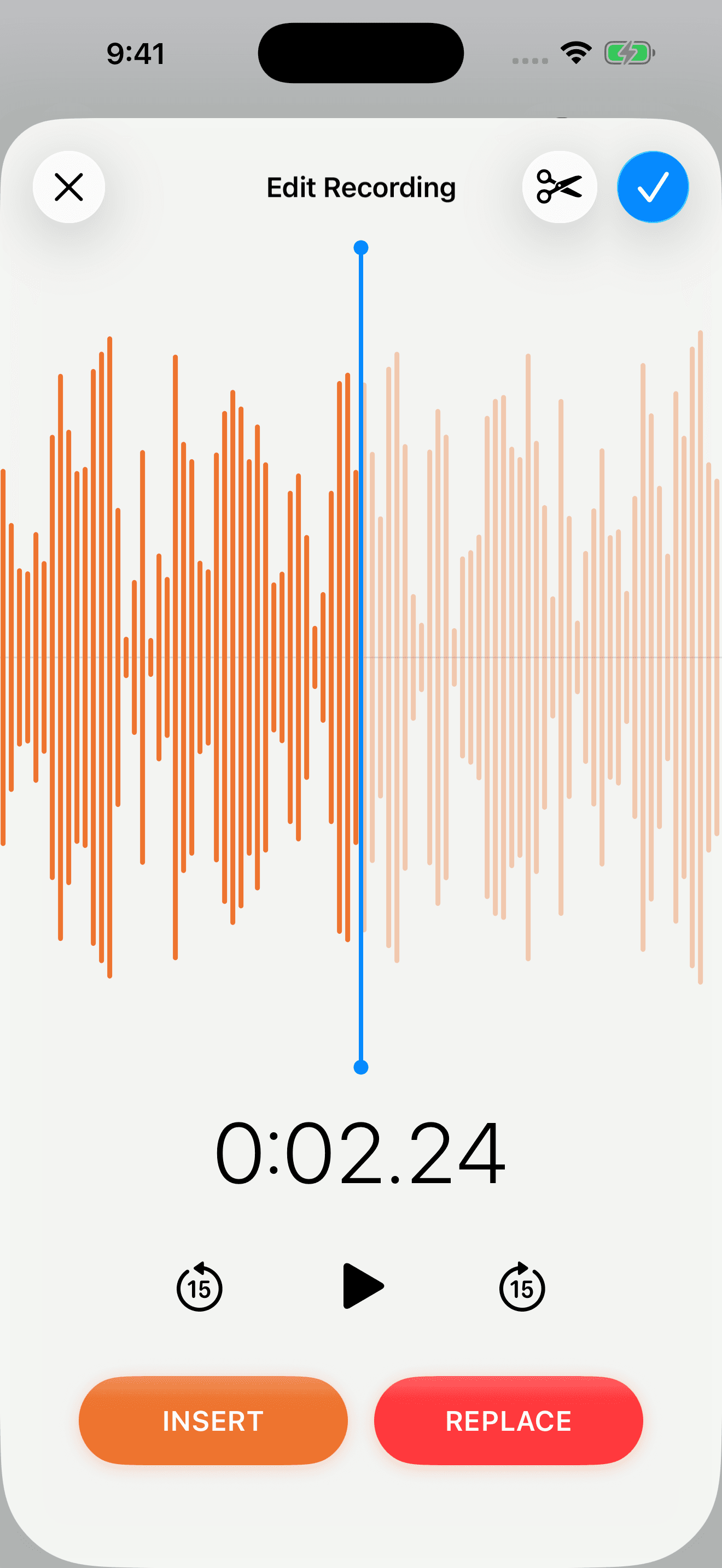
Record
Record each side, then trim it or insert and replace parts of it. Transcribe your recordings and their words show up on the card and in search.
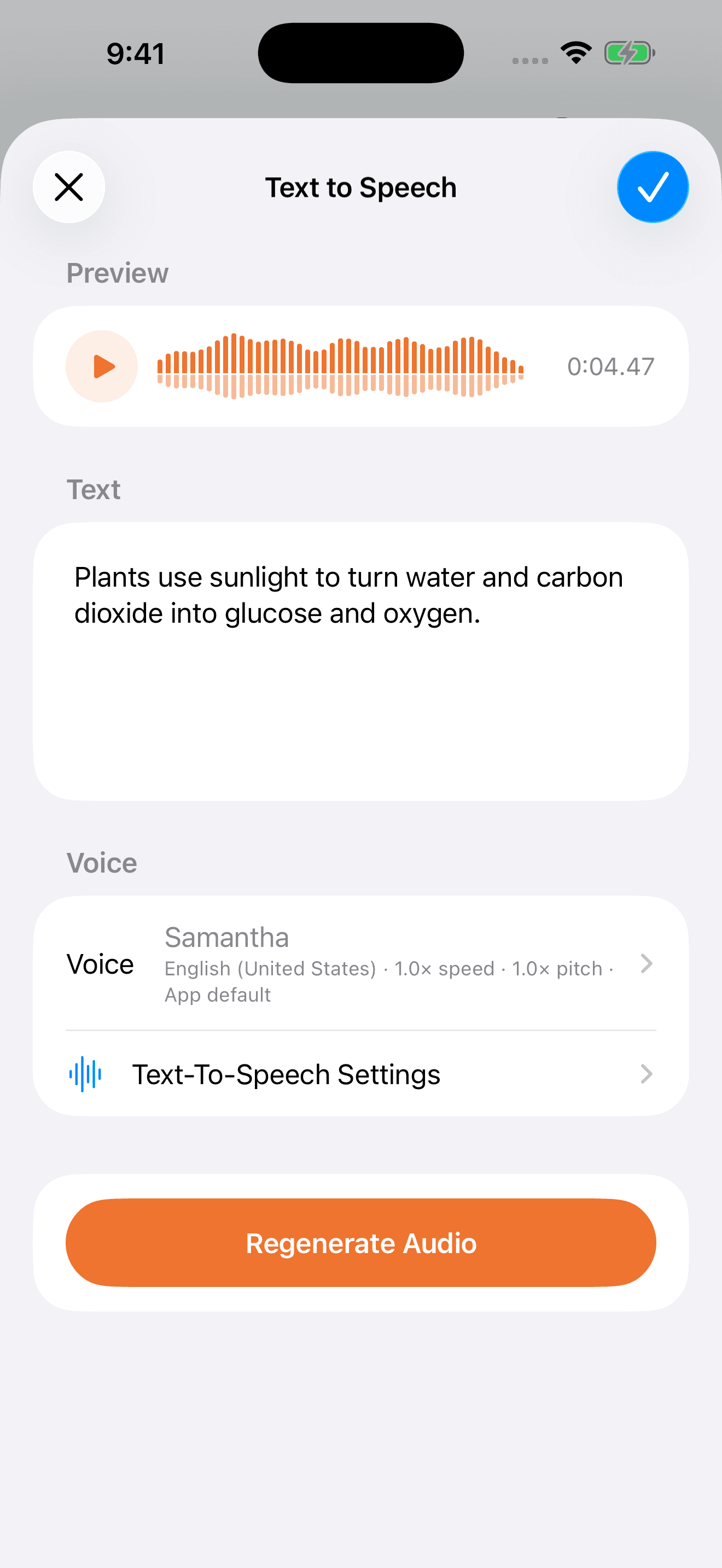
Type
Type a side and choose a voice: the voices on your device, Kokoro voices that run on your device, or Amazon Polly and OpenAI with your own account.
Already have material? Import a spreadsheet, a folder of audio files, or a shared file. Importing cards
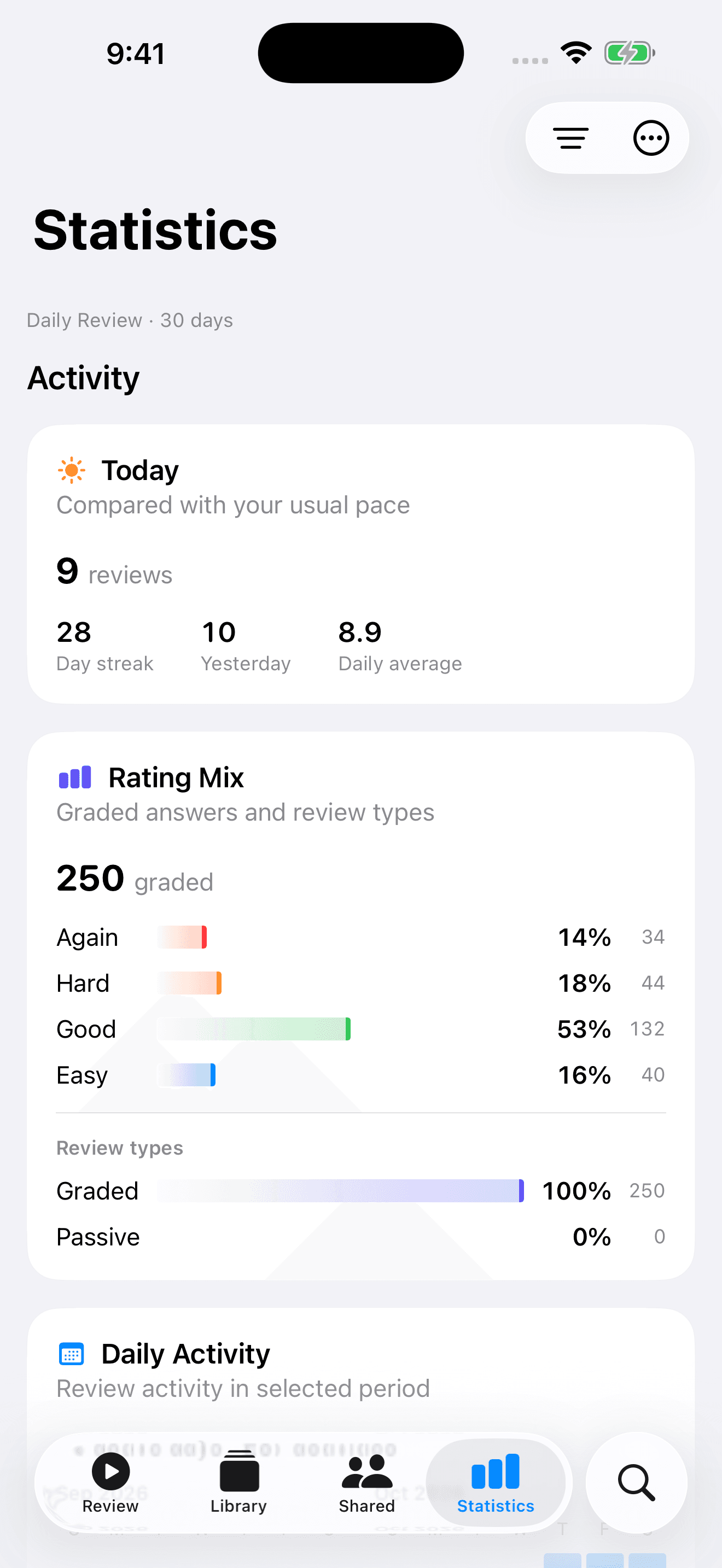
You grade it. The app works out when you would forget it.
Each grade tells FSRS, the scheduler, how well you know a card. Cards you know drift further apart and cards you miss come back soon. Nothing nags you before a card is ready.
- AgainYou did not remember it.10m
- HardYou remembered, but it was a struggle.3d
- GoodYou remembered normally.9d
- EasyIt came back with no effort at all.24d
The time beside each grade is when the card comes back if you choose it. Set how much you want to retain, study ahead in a practice session without touching your schedule, and let a listening session space out cards you only heard.
Your library stays yours.
Cards are ordinary files on your device or in iCloud Drive. You do not need an account for any of it.
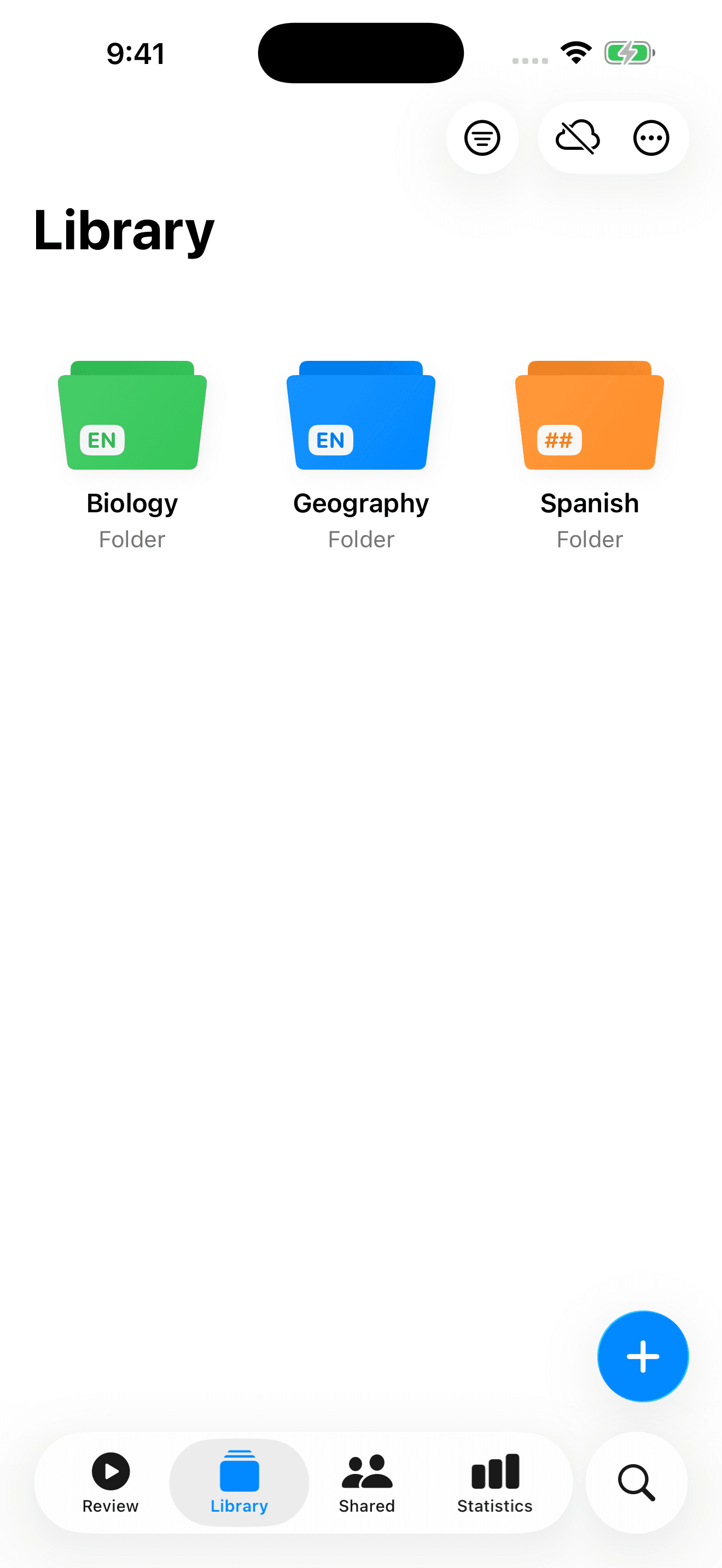
Folders with their own settings
Give a folder a colour and the languages it expects to hear. Review one folder on its own, or leave it out of reviews without deleting anything.
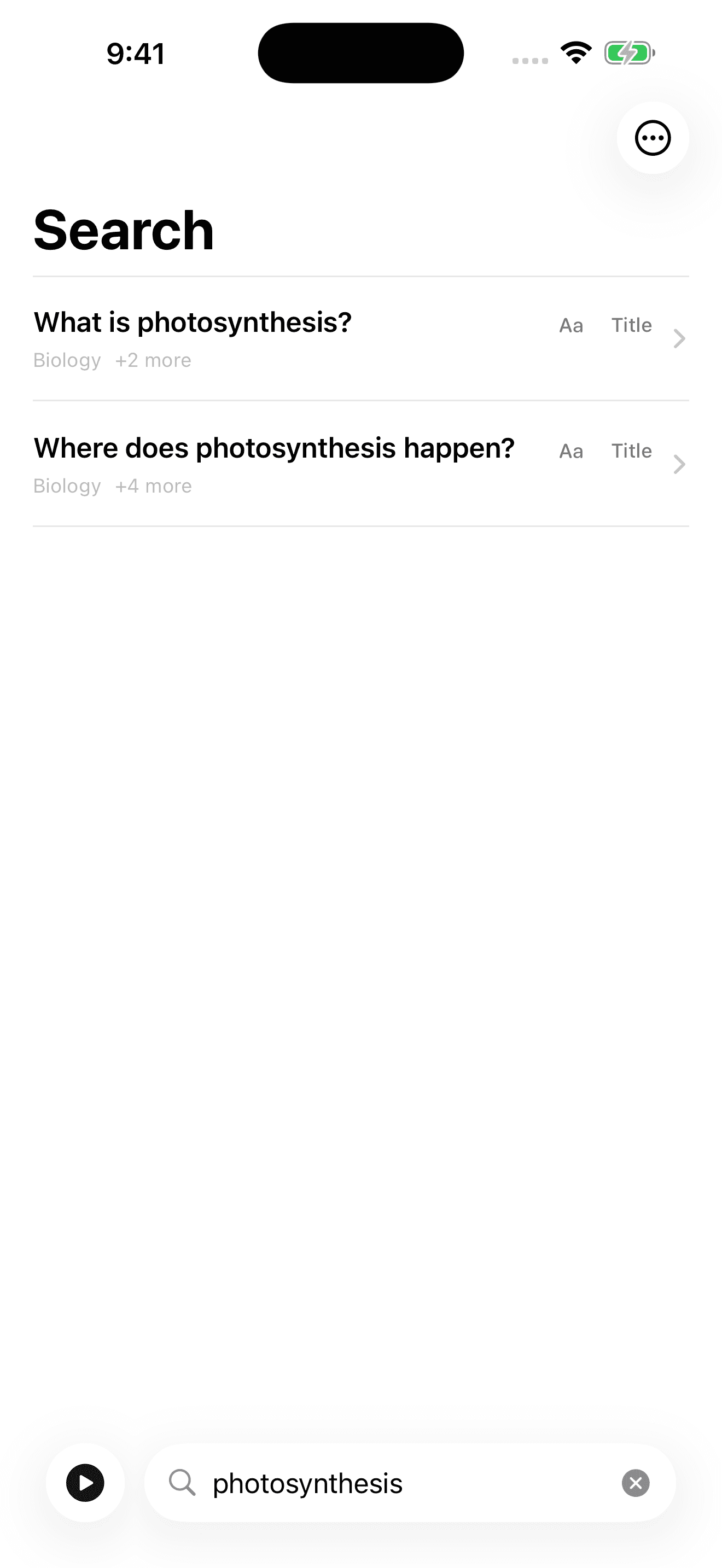
Search hears your recordings
Find a card by its name, by the text a voice reads, or by the words inside your own recordings once they are transcribed.
iCloud sync and backups
Your iPhone, iPad and Mac stay in sync through iCloud. On Android the library stays on your device, and backups move it anywhere.
“As a self learner of Japanese I have used this to make my own lessons and quizzes and it has been a total gamechanger.”
Rated 4.6 out of 5 from 59 ratings on the US App Store. Read more reviews on the App Store
Questions
Everything else is in the Help.
How do audio flashcards work?
Each card is a short stack of audio, usually a question and an answer. A review session plays the question, gives you time to recall, then plays the answer. You grade how well you knew it, and spaced repetition schedules when you hear it next.
Can I review without looking at my phone?
Yes. Turn on autoplay in a review session and set how long it waits before the answer. Voice commands let you grade and move between cards out loud, and headphone, car and Lock Screen controls work with the phone in your pocket.
Can I use it offline?
You can review audio already downloaded to your device offline. Recording and on-device voices work offline too. Downloading shared collections, syncing, and generating speech with cloud providers need an internet connection.
Do I need an account?
No. You can make and review your own cards without one, and anyone can browse public Shared Cards. An account is only needed to publish collections and open private invitations.
Does my library sync between Apple and Android?
iCloud keeps your iPhone, iPad and Mac in sync. Android keeps your library on the device. Use backups and shared files to move cards between Apple and Android.
Is Audio Flashcards free?
Yes. On iPhone, iPad and Android it is supported by ads, and a subscription or a one-time lifetime purchase removes them. The Mac app has no ads. If you connect a cloud voice provider, you use and pay for your own account with that provider.
Get Audio Flashcards
Free on iPhone, iPad, Mac and Android. On iPhone, iPad and Android a subscription or a one-time lifetime purchase removes the ads; the Mac app has none.